At the start of a module, you must post a short introduction message to students. Ideally, this will be a welcome video posted to the course page, but it could also be an announcement or text post if preferred. This is your chance to set your expectations for the module and give students the information they need to get the best start.
As the module progresses, you should provide regular updates on how things are progressing, which might include reminders of upcoming deadlines, your subject in the news, any clarifications or frequently asked questions.
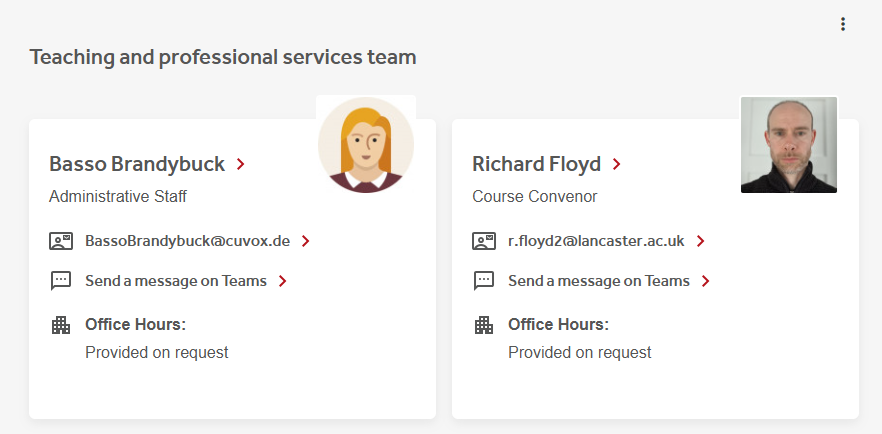
The “Module Information” section should list the module convenor, key teaching staff, and relevant administrators, along with details on how they prefer to be contacted and their office hours, to make it clear to students who the important course contacts are.
This should be done in addition to sharing them via any Lecture Slides, as this type of core information should always be available without downloading additional documents or files.
If using the university Moodle template, we will display Module convenors by default, but you will be able to choose which other teaching staff, administrators or other general contact to add, and should refine this list as appropriate.
Good Practice
- Putting names to faces. At the start of the module, students won’t yet know their tutor’s name and face, so to make the course more personable and aid them in remembering, you should ensure you have uploaded a profile picture to Moodle for use on the contact cards.
Keeping students updated about the course is important, but care should be taken not to send too many announcement messages. When you send a message via Moodle, students receive a copy via email, iLancaster and the Student Portal. The phone notifications, especially, can be disruptive.
Consider that students are studying multiple modules and receiving messages from central services such as Careers and Learning Development. Where possible, consider whether the students have already received the message elsewhere, whether you can combine multiple items into a single message, or whether the Student Portal News and Events System is more appropriate.
Module feedback is an important part of teaching, and you must encourage students to participate in the evaluation process using the Lancaster University Module Evaluation System (LUMES). Once your evaluation report is received, you should post a response to the feedback in the Module Information section of Moodle, thus closing the feedback loop with students. Whilst it may not always be possible to make changes in time to affect the current cohort, it’s important to show the value we gain from feedback as teachers and for future students.
If using the university Moodle template, Moodle will remind students when their module evaluation is due with a prominent banner at the top of the Moodle space.
Good Practice
- Feedback isn’t confined to LUMES, students give us feedback throughout our courses, and it’s important to recognise this too. Many departments run staff-student consultative committees throughout the year so feedback responses from these sessions should also be posted to the appropriate Moodle spaces.

